Home Services 24/7 Monitoring Option

Home Security Systems That Actually Fit How You Live

Cameras, sensors, and monitoring — connect with providers and choose the protection, professional or self-monitored, that fits your home and budget.

Choosing a home security system means weighing real trade-offs — professional versus self-monitoring, installed versus DIY — that affect both protection and ongoing cost. This guide breaks down the options so you can match one to how you actually live.

Break-in riskChoosing monitoring typeComparing providers
Overview

What you need to know about Home Security

A good home security system does more than sound an alarm — it deters break-ins before they happen, alerts you the moment something's wrong, and lets you keep an eye on your home from anywhere. But the right system for you depends on real choices: professional monitoring or self-monitoring, professional installation or DIY, and which cameras and sensors genuinely matter for your home. This guide cuts through the marketing so you can protect your home with confidence, without paying for features you'll never use. Reading the fine print on contract length, cancellation terms, and equipment ownership is just as important as comparing features, since that's where many homeowners end up with unexpected costs.

At a glance

Category
Home Services
Read time
11 min read
Key benefits covered
6
Sources cited
4
Decision guide
Included on this page
Why people choose this

What you get with Home Security

The real-world benefits of moving forward.

  • Visible deterrence that discourages break-ins before they're attempted
  • Immediate alerts to your phone the moment a sensor or camera is triggered
  • The ability to see and check on your home from anywhere, anytime
  • Faster response to intrusions, fire, and other emergencies with monitoring
  • Peace of mind for travelers, families, and anyone living alone
  • Potential homeowners insurance discounts for monitored systems
Is this right for you?

Who benefits most from Home Security

🏡

Homeowners and families

Anyone wanting to protect their home and loved ones benefits from a system matched to their needs.

✈️

Frequent travelers

Those often away gain remote visibility and the reassurance of monitoring while they're gone.

🏘️

Renters and apartment dwellers

Flexible, DIY, self-monitored systems suit renters who need protection without permanent installation.

📦

Online shoppers and remote workers

Doorbell and package cameras help manage deliveries and keep an eye on the front door.

👵

Households with aging or vulnerable family members

Monitoring and alerts provide extra peace of mind for families looking out for someone at home alone.

🏦

Owners seeking a homeowners insurance discount

Many insurers offer premium discounts for monitored security systems, offsetting part of the cost.

What's included

What to expect

Security cameras

Indoor, outdoor, and doorbell cameras provide visible deterrence, real-time viewing, and recorded evidence.

Entry and motion sensors

Door, window, and motion sensors detect intrusion and trigger alerts and alarms at the points that matter.

Professional or self-monitoring

Choose 24/7 professional monitoring that can dispatch help, or self-monitoring via app alerts to save on fees.

Smart home integration

Modern systems connect with locks, lights, and voice assistants for automation and convenience.

What to expect

How it works

A clear look at the typical steps involved, from start to finish.

Assess your needs

Consider your home's size, entry points, whether you rent or own, and whether you want monitoring or self-monitoring.

Choose your system

Select equipment and a monitoring approach that fit your priorities and budget, DIY or professionally installed.

Installation and setup

Cameras and sensors are placed at key points and the system configured, by you or a professional.

Connect and test

The app, alerts, and any monitoring are set up and tested so you know the system works as expected.

Ongoing peace of mind

You monitor and manage your home remotely, adjusting sensors and settings as your needs change.

Before you decide

Key considerations

Important points to keep in mind as you explore this offer.

1

Decide between professional monitoring and self-monitoring — it drives ongoing cost.

2

DIY suits renters and budgets; professional install suits larger or wired setups.

3

Confirm battery and cellular backup if outage reliability matters.

4

Visible cameras and signage add real deterrent value at entry points.

5

Ask your insurer whether a monitored system earns a discount.

6

Match the system to your actual home and risks rather than overbuying features.

Decision support

Red Flags in Home Security Sales Pitches (FTC Guidance)

The FTC warns that some door-to-door and telemarketing sales tactics in this industry are deceptive. Watch for these patterns before signing anything.

  • Someone claiming to represent your current provider to 'upgrade' your system, unprompted
  • Heavy pressure to sign a long-term monitoring contract immediately
  • Claims tied to recent 'burglaries in your neighborhood' used to create urgency
  • 'Free' equipment offered in exchange for a long, expensive monitoring contract
  • A salesperson who won't show ID or explain their company's name clearly
  • Remember: under the FTC's Cooling-Off Rule, you generally have three business days to cancel a contract signed in your home.

This tool is meant to help you organize your own thinking and the questions you ask a provider — it isn't personalized financial, legal, medical, or contracting advice, and it doesn't collect or store anything you enter.

Compare your options

Common Home Security System Types

Home security setups generally fall into a few categories, mainly differing in how monitoring and dispatch work.

Professionally Monitored System

Best for: Households that want 24/7 monitoring with automatic emergency dispatch.

  • Alerts are dispatched even if no one is home to respond
  • Often required for some insurance discounts
  • Usually involves an ongoing monthly monitoring fee
  • May require a contract term

Self-Monitored System

Best for: Households comfortable responding to alerts themselves via a smartphone app.

  • No mandatory monthly monitoring fee in many cases
  • Full control over notifications
  • Relies on you or someone else noticing and acting on an alert
  • No automatic dispatch to emergency services

Professional Installation of Owner-Selected Equipment

Best for: Households that want expert installation and setup but plan to manage monitoring decisions themselves.

  • Ensures cameras and sensors are placed and wired correctly
  • One-time cost rather than a recurring plan for installation itself
  • Monitoring, if desired, is typically a separate, ongoing service

This comparison describes general, commonly available options — not every provider offers every option, and actual terms, pricing, and availability depend on the specific provider and your circumstances.

Find your situation

Which Situation Applies to You?

Home security setups differ depending on your situation. Pick the one closest to yours.

These are general categories to help you find relevant information faster — they aren't a legal or eligibility determination. Your exact requirement is set by a court or your state's motor vehicle agency.

In depth

Home Security Systems: Choosing Real Protection Without Overpaying

Home security has changed enormously. Not long ago, a system meant a professionally installed panel, a long contract, and a monthly bill — take it or leave it. Today the market is full of options, from no-contract DIY kits to fully monitored professional installations, from a single video doorbell to a whole-home network of cameras and sensors. That's good news for choice, but it also makes the decision more confusing. The key to protecting your home well is understanding the real trade-offs behind the marketing, so you buy the protection you actually need and skip the features you don't.

What a Security System Actually Does

It helps to be clear about the jobs a good system performs, because they're broader than "sounding an alarm." A well-designed system provides deterrence — visible cameras and signage that discourage would-be intruders before they ever try, which is arguably its most valuable function since the best break-in is the one that never happens. It provides detection and alerts, notifying you the instant a door opens or motion is sensed when it shouldn't be. It provides visibility, letting you see your home from anywhere. And with monitoring, it provides response, connecting an event to help even when you're unaware or unable to act. Understanding these functions helps you weigh which matter most for your situation.

The Big Decision: Professional Monitoring vs. Self-Monitoring

The single most consequential choice in home security is how your system is monitored, because it shapes both your protection and your ongoing cost.

<a href="https://www.ul.com/services/security-alarm-service-certification" target="_blank" rel="noopener">Professional monitoring means a monitoring center watches your system around the clock. When an alarm triggers, trained staff respond and can dispatch emergency services even if you're asleep, traveling, or otherwise unable to react. This hands-off protection comes with a monthly fee.

Self-monitoring sends alerts directly to your phone and relies on you to assess and respond — calling for help yourself if needed. It typically carries no monthly fee, making it far cheaper over time, but its effectiveness depends on you being available and attentive.

Neither is universally right. Frequent travelers, larger households, and anyone who wants protection that works without their involvement often value professional monitoring. Budget-focused homeowners and those who keep their phone close may find self-monitoring perfectly adequate. Knowing which camp you fall into clarifies much of the rest of the decision.

DIY or Professional Installation?

Closely related is how the system gets installed. DIY systems have become genuinely capable and are designed for easy self-installation, often with no contract — a great fit for renters, smaller homes, and anyone who wants flexibility and lower cost. Professional installation makes sense for larger homes, hardwired setups, or homeowners who simply prefer an expert to place and configure everything correctly. Both approaches can deliver effective security; the choice comes down to your home's size and complexity, your comfort with setup, and your preference for convenience versus savings.

Cameras, Sensors, and What to Actually Buy

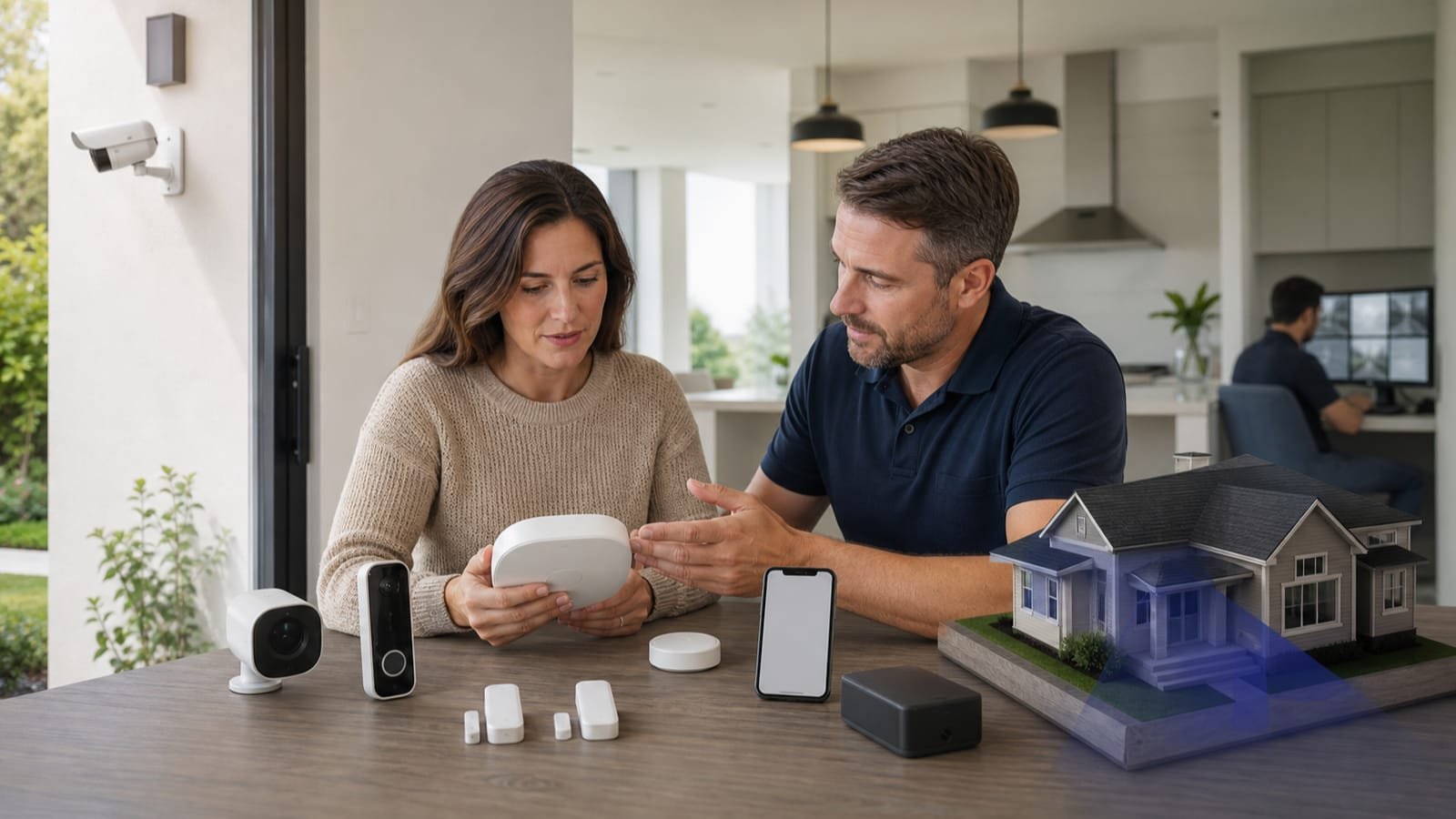
Beyond monitoring and installation, the components themselves deserve thought rather than reflexive maximalism. Cameras — outdoor, indoor, and video doorbells — provide deterrence, live viewing, and recorded evidence; placing them at entry points and visible areas maximizes their effect. Entry and motion sensors on doors, windows, and key interior spaces detect intrusion at the points that matter. Environmental sensors for smoke, carbon monoxide, and water leaks extend protection beyond burglary to some of the most common household emergencies. And smart home integration connects the system with locks, lights, and voice assistants for convenience and automation. The goal isn't the most gadgets; it's the right coverage for your home's actual layout and risks. A thoughtful provider helps you right-size rather than overbuy.

The Details That Get Overlooked

A few practical considerations separate a system that protects you from one that lets you down at the worst moment. Backup power and connectivity matter: many systems include battery backup for power outages and cellular backup for internet outages so monitoring continues when it counts, but not all do — confirm this if reliability during outages is important to you. Privacy is worth a thought too, particularly with indoor cameras; building a system around your household's comfort level is part of doing it right. And insurance: many homeowners insurance providers offer discounts for monitored systems, so it's worth asking your insurer what qualifies, as the savings can offset monitoring costs over time.

What Home Security Actually Costs

Think in two layers: equipment and monitoring. Equipment for a typical starter setup — a hub, several entry sensors, a motion detector, a camera or two — commonly lands in the low-to-mid hundreds, scaling up with cameras, smart locks, and coverage of a larger home. Professional monitoring is the recurring layer, typically a modest monthly fee that varies with features like cellular backup and video storage; self-monitoring trades that fee for the responsibility of being reachable. Watch the structure of the deal as closely as the price: "no-cost" equipment usually lives inside a multi-year monitoring contract, and month-to-month plans with purchased equipment often cost less over a few years. One pleasant offset — many insurers discount premiums for professionally monitored systems, so it's worth telling your home insurance carrier once you're set up.

Mistakes That Undermine a Security Setup

The most common failure isn't technical — it's a system people stop arming because it produces false alarms or friction. Choose entry delays, pet-aware motion sensitivity, and easy arming (app, keypad, voice) that fit how your household actually moves. Other missteps: covering the front door while leaving back doors, basement windows, and the garage-to-house door bare; mounting cameras where they see the street instead of the approaches to your own entries; skipping cellular or battery backup so the system dies with the Wi-Fi; ignoring local alarm-permit rules and the fines that follow repeat false alarms; and forgetting the low-tech layer — lighting, locks, and visible cameras deter more attempts than any sensor detects. Renters aren't excluded from any of this: today's peel-and-stick systems move with you, and pairing one with renters insurance covers both preventing a loss and recovering from one.

Matching the System to Your Life

The best home security system isn't the most expensive or the most feature-packed — it's the one that fits how you actually live. A renter in an apartment has different needs than a family in a large house; a frequent traveler weighs monitoring differently than someone who works from home. Start from your real situation: your home's size and entry points, whether you rent or own, how you'd want an emergency handled, and what you're comfortable spending upfront and monthly. From there, the choices between monitoring approaches, installation types, and components fall into place naturally.

Where this comes from

Sources

Facts and figures in this guide that come from an outside authority are backed by the sources below. Pricing, program rules, and eligibility details change — always confirm current specifics with the source directly or a licensed professional before acting.

Ready to explore Home Security?

Still have questions? The FAQ below covers the most common ones. Or use the button to check availability — there's no cost and no obligation.

How we research every listing

Why you can rely on this information

Compare systems and terms

Look for clear contract terms and well-reviewed equipment so you know exactly what you're buying and paying for before you sign a monitoring contract.

Transparent monitoring terms

Look for clear pricing on monitoring fees and contract length, with no surprises after signup.

Watch for right-sized recommendations

A trustworthy provider matches the system to your actual home and risks rather than overselling — be cautious of anyone pushing add-ons you didn't ask about.

Common questions answered

Home Security — questions people actually ask

Do I need professional monitoring or is self-monitoring enough?

It depends on your priorities. Professional monitoring means a monitoring center watches your system around the clock and can dispatch help even when you can't respond, for a monthly fee. Self-monitoring sends alerts to your phone with no ongoing fee, but relies on you to react. Frequent travelers and those wanting hands-off protection often prefer professional monitoring; budget-focused users may choose self-monitoring.

How much does a home security system cost?

Costs fall into two parts: the equipment (cameras, sensors, hub) and any monthly monitoring fee. DIY self-monitored setups can be inexpensive upfront with no fees, while professionally installed and monitored systems cost more but offer more hands-off protection. Comparing total cost — equipment plus ongoing fees — is the reliable way to budget.

Should I choose a DIY or professionally installed system?

DIY systems are increasingly capable, easy to install, and often contract-optional, ideal for renters and budget-minded homeowners. Professional installation suits larger homes, wired setups, or anyone who prefers expert setup and configuration. Both can be effective; the choice comes down to your comfort, home size, and preference.

Do security cameras actually deter burglars?

Visible cameras and alarm signage are widely considered a meaningful deterrent, since many intruders avoid homes that appear protected and monitored. Cameras also provide alerts and recorded evidence if something does happen. Placement at entry points and visible areas maximizes the deterrent effect.

Can a home security system lower my insurance?

Often, yes. Many homeowners insurance providers offer discounts for monitored security systems, since they reduce the risk of loss. The discount amount varies, so check with your insurer about what qualifies and how much you could save, and keep documentation of your system.

Will my security system work during a power or internet outage?

It depends on the system. Many include battery backup for power outages and cellular backup for internet outages so monitoring continues, but not all do. If reliability during outages matters to you, confirm that a system includes these backups before choosing it.

Do I need cameras inside my home?

That's a personal choice. Many households use outdoor and doorbell cameras for perimeter protection and add indoor cameras selectively — for entryways, to check on pets, or while traveling — while being mindful of privacy for household members. You can build a system around your comfort level.

Are wireless security systems reliable?

Modern wireless systems are generally reliable and far easier to install than wired ones, using batteries and cellular or Wi-Fi connections. Their reliability depends on battery upkeep and connection quality, and many offer cellular backup. For most homes they're a practical, effective choice.

How this page was put together

Editorial information

  • We prioritize primary, authoritative sources over provider marketing.
  • Commercial relationships never influence what we publish or how it's written.
  • Pages are dated and updated only when they've genuinely been reviewed or changed.
Security CamerasMonitoringSmart HomeSensorsDeterrence

Get started with Home Security — no obligation

No sign-up needed. No calls until you decide. Check availability, compare options, and proceed only when you're ready.